


Introduction
This article continues the journey from my previous posts on Microsoft Entra Authentication Methods and rolling out phishing-resistant MFA in a hybrid environment.
In the last post, I walked through what it actually takes to move from traditional MFA to phishing-resistant methods like FIDO2, passkeys, and Windows Hello for Business — including the real-world challenges that come with hybrid identity, legacy dependencies, and user adoption.
But deploying strong authentication methods is only part of the equation.
In this article, I focus on the next critical step: how to enforce those methods in a controlled and scalable way using Conditional Access and authentication strengths.
This is where many organisations struggle — not because the technology is missing, but because enforcement needs to be precise, phased, and aligned with both risk and operational reality.
You can expect a practical, field-driven walkthrough of how to design and implement Conditional Access policies that actually enforce phishing-resistant MFA — without breaking business-critical workflows or locking out users.
Table of Contents
ToggleFraming: Enforcement ≠ Configuration
At this point in the journey, most organisations have started rolling out phishing-resistant authentication methods such as FIDO2, passkeys, or Windows Hello for Business.
On paper, this looks like a major milestone — and it is.
But deployment alone does not equal enforcement.
In practice, users will often still be able to authenticate using weaker methods unless Conditional Access is used deliberately to enforce stronger requirements. And this is where things become more complex than the portal UI suggests.
This article is not about creating a single Conditional Access policy.
It is about how to design and implement an enforcement model that ensures phishing-resistant MFA is actually used — without breaking business workflows or introducing operational risk.
Why enforcing phishing-resistant MFA is harder than it looks
If you’ve already deployed strong authentication methods, you’ve probably noticed that users don’t always use them consistently.
Some of the common realities I see in the field:
• Users have multiple authentication methods registered — both strong and weak
• Existing sessions continue to work even after policies change
• Hybrid environments introduce inconsistent behaviour between devices
• “Require MFA” is satisfied by methods you’re trying to move away from
• Legacy dependencies still exist, even if they’re not obvious
This leads to a common misconception:
“We’ve deployed phishing-resistant MFA, so we’re protected.”
The reality is:
You are only protected when you control which method is actually used during authentication.
That is what Conditional Access — and more specifically authentication strengths — enables.
Authentication Strengths – the foundation
Authentication strengths in Microsoft Entra Conditional Access are the key control for enforcing specific types of MFA.
Instead of simply requiring MFA, you can now define what kind of MFA is acceptable, such as:
• Phishing-resistant methods only (e.g. FIDO2, WHfB, passkeys)
• Passwordless combinations
• Or custom-defined sets of methods
This solves a major gap in traditional Conditional Access policies, where all MFA methods were treated equally from an enforcement perspective.
However, authentication strengths are not a complete solution on their own.
Important limitations to be aware of:
• They only apply at authentication time — not to existing sessions
• They must be combined with Conditional Access policies to be effective
• Not all applications and flows evaluate them consistently
• Users can still fall back to weaker methods if policies are not scoped correctly
In other words:
Authentication strengths give you the tooling, but not the strategy.
Design before configuration
This is where most implementations fail — jumping straight into policy creation without defining a rollout model.
Before creating any Conditional Access policies, you should think about:
Segmentation strategy
Avoid targeting everyone at once.
Instead, define:
• Pilot users (IT, security teams)
• Early adopters
• Standard users
• High-risk roles (admins, privileged users)
Application scope
Not all applications behave the same.
Consider:
• Cloud-native apps (typically predictable)
• Hybrid or federated apps (less predictable)
• Legacy or business-critical apps
Exclusion strategy
You must define exclusions up front:
• Break-glass accounts
• Emergency access
• Service accounts (where applicable)
Poorly managed exclusions often become permanent bypasses.
Rollout approach
Use:
• Report-only mode
• Gradual enforcement
• Monitoring before blocking
What works in theory:
“Apply one policy to all users and require phishing-resistant MFA”
What works in reality:
A phased approach, with controlled targeting and validation at each step
Core Conditional Access design pattern
Instead of a single “catch-all” policy, a layered approach tends to work better.
A typical pattern looks like this:
1. Baseline protection
- Block legacy authentication
- Ensure modern authentication is enforced
This reduces noise and removes obvious bypass paths.
2. Phishing-resistant MFA enforcement
- Target specific users or groups
- Apply authentication strength (phishing-resistant)
- Start in report-only mode
This is your primary enforcement policy.
3. Targeted policies
Layer additional policies for:
- Administrative roles
- High-value applications
- External access scenarios
These often require stricter conditions and faster rollout.
Why multiple policies?
Because Conditional Access is evaluated as a combination of policies.
Trying to put everything into one policy often results in:
- Overlapping conditions
- Difficult troubleshooting
- Unintended access issues
A modular design is easier to validate, maintain, and scale.
Configuration and authentication strengths – what actually matters
When it comes to enforcing phishing-resistant MFA, the most important decision is not creating the policy itself — it’s choosing which authentication strength you enforce, and where.
This is where many deployments become inconsistent.
Built-in authentication strengths
Microsoft provides several built-in authentication strengths, including:
- Multifactor authentication (legacy equivalent of “Require MFA”)
- Passwordless MFA
- Phishing-resistant MFA
From a security perspective, only one of these actually enforces what we’re trying to achieve:
👉 Phishing-resistant MFA
This includes:
- FIDO2 security keys
- Windows Hello for Business
- Passkeys (platform or cross-device)
Why not just use “Require MFA”?
This is one of the most common mistakes I see.
“Require MFA” (or the built-in MFA strength) still allows:
- SMS
- Voice calls
- App-based OTP
These are:
- Phishable
- Replayable
- Often targeted in real-world attacks (AiTM, MFA fatigue, etc.)
So while MFA is technically enforced, you are not enforcing a phishing-resistant posture.
When to use built-in vs custom authentication strengths
In many environments, the built-in Phishing-resistant MFA strength is sufficient.
However, there are scenarios where custom strengths become relevant.
Use built-in phishing-resistant MFA when:
- You want a clean and supported baseline
- You allow all strong methods (FIDO2, WHfB, passkeys)
- You don’t need to differentiate between methods
Use custom authentication strengths when:
- You want to restrict specific methods only
- Example: Only allow WHfB (no FIDO2 keys)
- You are phasing rollout:
- Example: First enforce WHfB for hybrid joined devices
- You have regulatory or operational constraints
Example: Why custom strengths matter in real environments
In hybrid environments, you might see:
- WHfB works reliably on domain-joined devices
- FIDO2 adoption is still low
- Passkeys are not yet rolled out
If you enforce the built-in phishing-resistant strength too early:
👉 Users can use FIDO2 or passkeys — but they might not exist yet
👉 Result: Access failures or operational friction
A more controlled approach:
- Create a custom strength:
- Only allow WHfB initially
- Roll out additional methods later
Key takeaway
Authentication strengths should be treated as:
A control mechanism aligned with rollout maturity, not just a security checkbox
Policy configuration (technical focus)
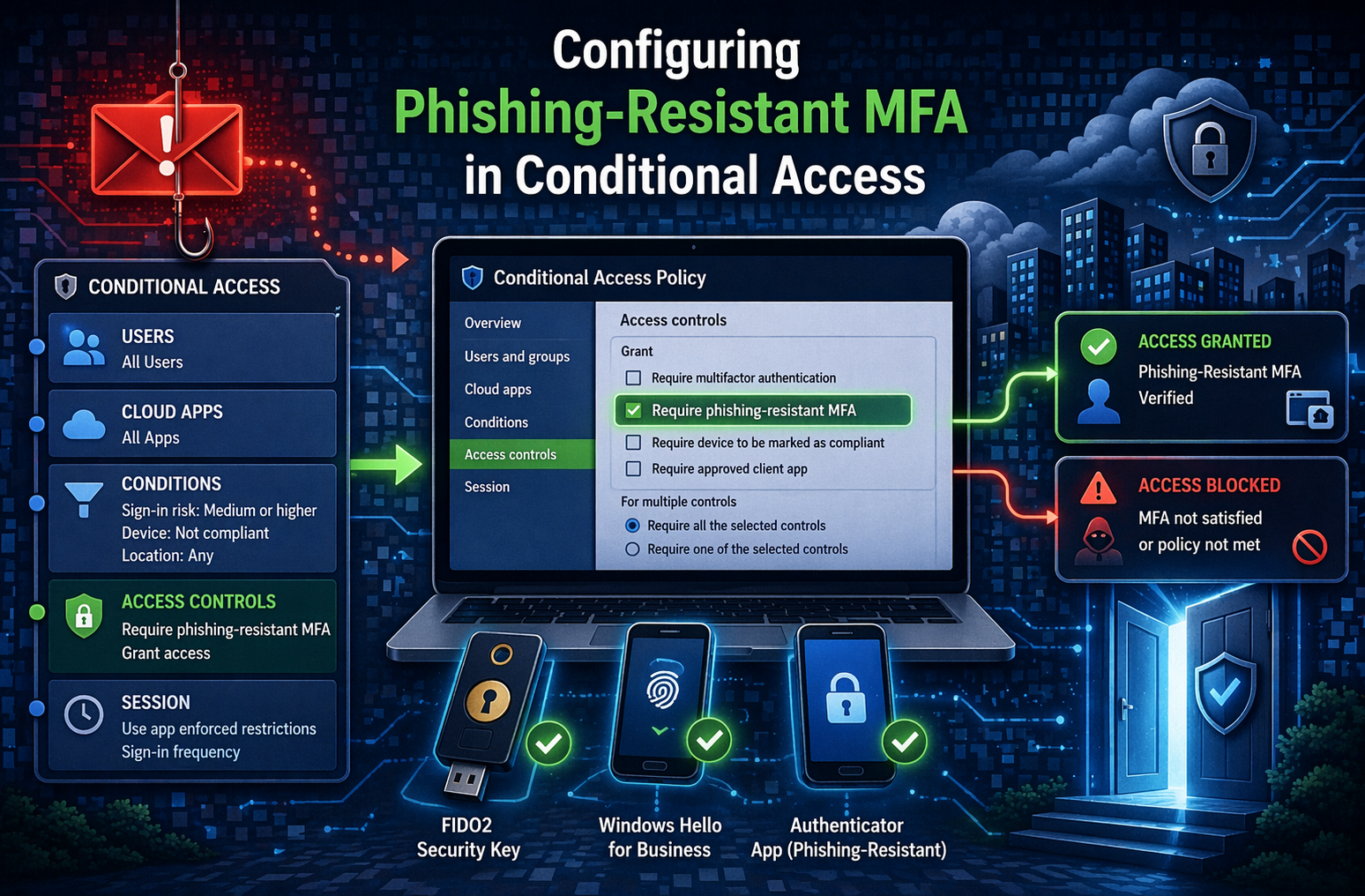
When you configure your Conditional Access policy, these are the key elements:
Grant control
Grant → Require authentication strength
Then select:
Phishing-resistant MFA
or your custom-defined strength.
This setting replaces:
Require multi-factor authentication
Assignments (critical for behaviour)
- Target users/groups deliberately
- Avoid including users who are not fully onboarded
- Split policies if needed:
- Admins
- Standard users
Cloud apps
Be careful with:
All cloud apps
In practice:
- Start with controlled scope
- Expand gradually
Advanced consideration: policy interaction
Conditional Access policies are evaluated together, not individually.
This means:
- A weaker policy can override your intent
- A broader “Require MFA” policy may allow fallback methods
- Multiple grant controls can create unexpected behaviour
👉 Always validate effective policy result in sign-in logs
Naming conventions for Conditional Access
Naming conventions – small detail, big impact
As your Conditional Access design matures, you will quickly move beyond a handful of policies.
Without a consistent naming convention, it becomes difficult to:
- Understand intent
- Troubleshoot issues
- Validate policy scope
- Maintain the solution over time
A clear and structured naming convention is critical.
Suggested model
A simple and effective approach is to structure policy names like this:
[Policy Type] - [Number] - [Action] - [Description]
Example:
CA - 102 - GRANT - Phishing-Resistant MFA
Numbering strategy
Using numbering makes policies easier to group and understand:
- 1XX → GRANT policies
- 2XX → BLOCK policies
- 3XX → SESSION policies
This creates an immediate mental model when reviewing policies.
Example: splitting policies for clarity
Rather than having one broad policy, it is often beneficial to split enforcement:
CA - 102 - GRANT - Phishing-Resistant MFA for admins
 CA - 103 - GRANT - Phishing-Resistant MFA for users
This gives you:
- Better control over rollout
- Easier troubleshooting
- Safer enforcement for high-risk roles first
Why this matters in real environments
When troubleshooting Conditional Access, you are often looking at:
- Multiple policies
- Overlapping scopes
- Different grant controls
If naming is inconsistent:
👉 You spend time figuring out what each policy does
If naming is structured:
👉 You immediately understand intent and scope
Key takeaway
Naming conventions are not just cosmetic.
They are part of your operational design and directly impact how manageable and scalable your Conditional Access implementation will be.
Common pitfalls from the field
This is where things typically go wrong.
“Users still authenticate with SMS after enforcement”
Why it happens:
The user is not consistently targeted by the policy, or another policy allows weaker MFA.
How to avoid it:
Validate policy scope and check for overlapping Conditional Access rules.
“We enabled authentication strength but nothing changed”
Why it happens:
Existing sessions are still valid.
How to avoid it:
Force reauthentication where appropriate and validate using new sign-ins.
“Windows Hello for Business is not recognised as expected”
Why it happens:
Device registration state or trust is inconsistent (common in hybrid setups).
How to avoid it:
Validate hybrid join and WHfB configuration before enforcement.
“We accidentally locked users out”
Why it happens:
Policy applied too broadly without testing.
How to avoid it:
- Use report-only mode
- Validate with pilot groups
- Always maintain break-glass accounts
“Exclusions became permanent bypasses”
Why it happens:
Temporary exclusions are never revisited.
How to avoid it:
Track and regularly review excluded accounts and groups.
Validation and monitoring
Once policies are in place, validation becomes critical. You should focus on:
Sign-in logs
Look for:- Authentication requirement
- Authentication strength applied
- Method used
Report-only insights
Use report-only mode to:- Identify impacted users
- Validate enforcement before blocking
Detecting fallback behaviour
Check if users:- Still use non-phishing-resistant methods
- Bypass policies under certain conditions
While authentication strengths and Conditional Access give you the ability to enforce phishing-resistant MFA, they are only one side of the access decision.
In real-world environments, identity alone is rarely enough.
In the next article, I’ll expand on this by looking at how Conditional Access can be combined with device compliance and device trust to strengthen access control even further.
This includes how to ensure that not only who is signing in is trusted, but also from what they are signing in.
